User configuration
DDQA will always ensure valid config by loading the configuration screen if there are errors or missing required fields.
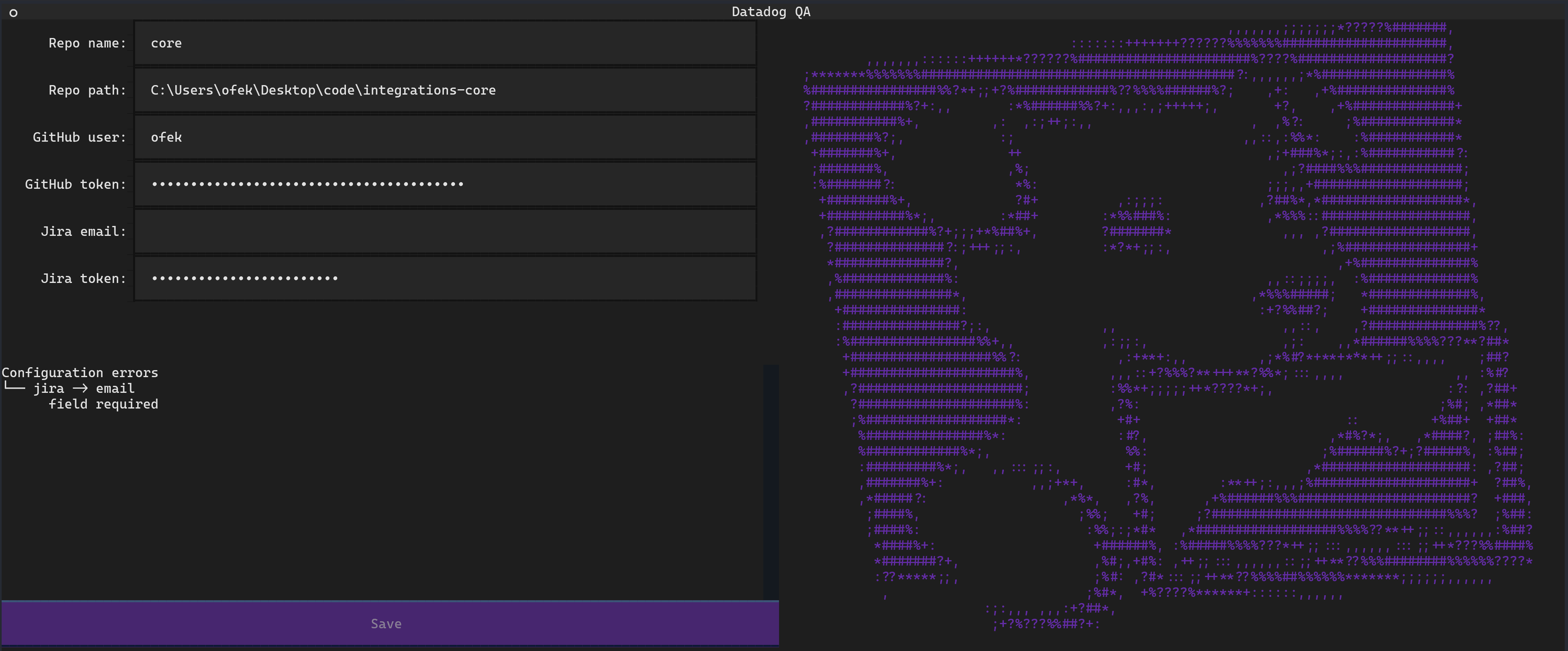
Tip
To locate your personal config file you may run: ddqa config find
GitHub auth
You'll need to create a fine-grain access token using DataDog resource owner.
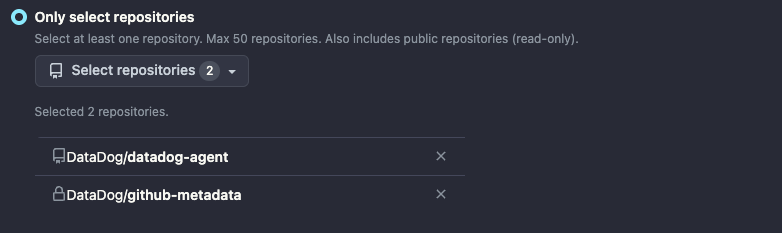
Restrict its access to the concerned repositories: - DataDog/github-metadata, to access user mapping. - the list of repositories you are creating cards for (e.g. DataDog/datadog-agent)
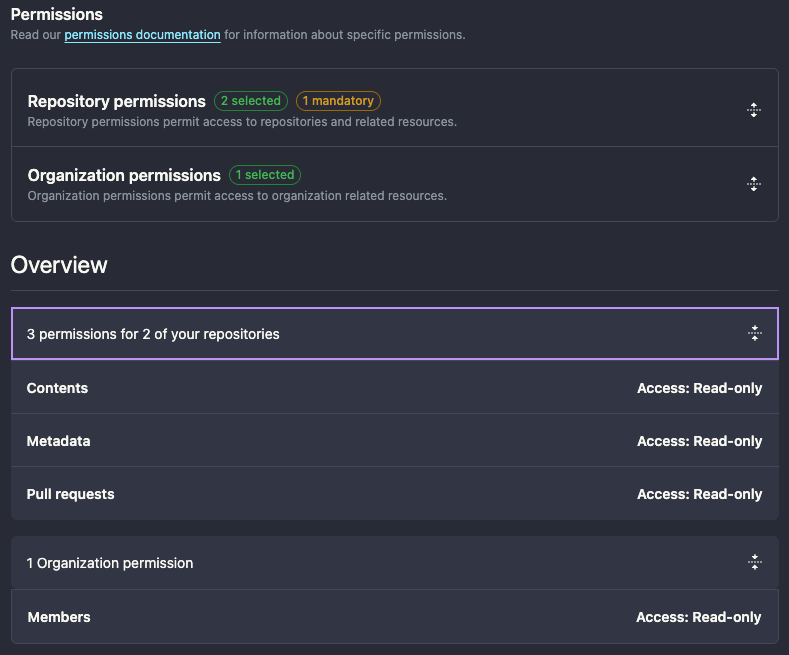
Set the required permissions: - Content: read-only and Pull requests: read-only repository permissions. - Members: read-only organization permission.
The following APIs are used:
/search/issues(GET)/repos/{owner}/{repo}/pulls/{pull_number}/reviews(GET)-
/orgs/{org}/teams/{team_slug}/members(GET)Note
This endpoint is not yet supported when using fine-grained personal access tokens.
Tip
You can configure your GitHub credentials using the DDQA_GITHUB_USER and DDQA_GITHUB_TOKEN environment variables.
Jira auth
You'll need to create an API token with the appropriate scopes.
The following APIs are used:
/rest/api/2/issue(POST)/rest/api/2/myself(GET)/rest/api/2/search(POST)/rest/api/2/issue/{issueIdOrKey}/transitions(GET, POST)/rest/api/2/user/bulk(GET)
Example: JIRA API token Scopes (14 Nov 2025)
Write
  write:issue:jira
  write:issue.property:jira
  write:comment:jira
  write:comment.property:jira
  write:attachment:jira
Read
  read:issue.transition:jira
  read:status:jira
  read:field-configuration:jira
  read:issue-details:jira
  read:field.default-value:jira
  read:field.option:jira
  read:field:jira
  read:group:jira
  read:application-role:jira
  read:user:jira
  read:avatar:jira
  read:issue:jira
  read:issue:jira-software
Tip
You can configure your Jira credentials using the DDQA_JIRA_EMAIL and DDQA_JIRA_TOKEN environment variables.